Getting started
Sign in, create your company's atlas, invite colleagues and make your first map.
Reimagine helps teams agree on who owns what. You work in an atlas for your company, and each question of ownership becomes a mandate map.
1. Sign in
Type your email address at app.reimagine.dk/sign-in. We send you a six-digit code; type it in and you’re signed in. There’s no password to remember.
2. Create an atlas
An atlas holds your company’s maps, and only the people in it can see them. Under Your atlases, choose New atlas and give it your company’s or team’s name. You’re its admin.
Reimagine is a preview, by invitation. If you haven’t been approved yet, you’ll see Ask for access instead; we email you once you are. Anyone invited to an atlas can join it straight away.
3. Invite colleagues
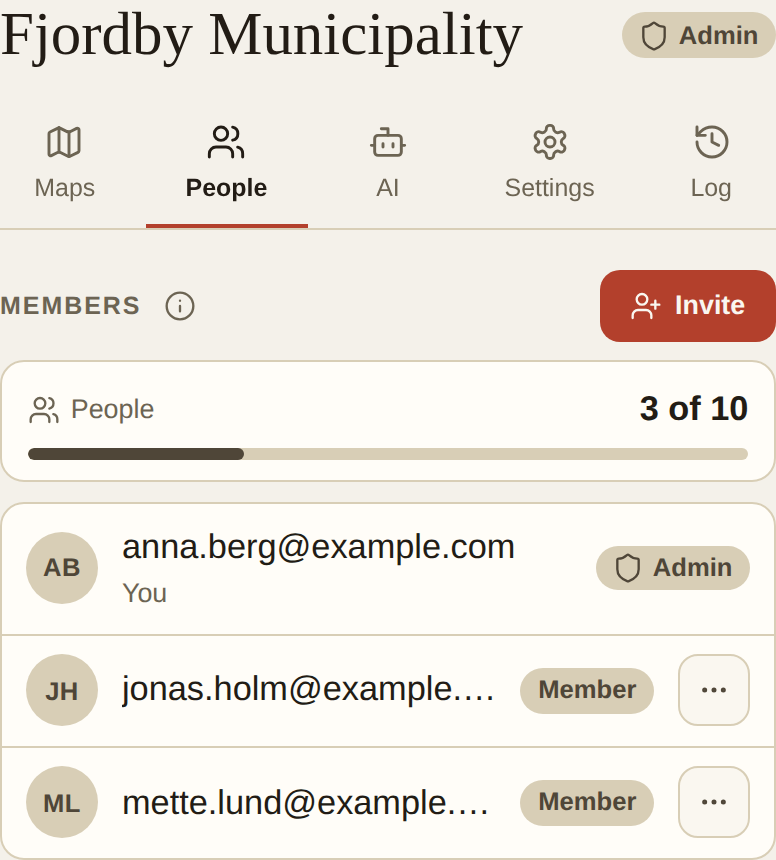
Open the atlas, go to People and choose Invite. Type their email address and pick Member or Admin. They get an email and join when they sign in.
4. Make a map
Go to Maps and choose New map. Name it, for example Platform split, autumn, and name the two or three teams it’s between.
Then add the responsibilities you want to settle, one by one with Add, or many at once under Prepare. Each team answers whether it agrees; the map shows where they do and where they don’t.
For customers’ NIS2 requirements, incidents under NIS2, patching and AI that writes code, you can start from a map with the responsibilities already written: choose Start from a template, read the one that fits, and start it in your atlas with your own team names. Nobody has answered yet, and you can change every one of them.
Want to see one filled in first? Choose Try a sample map under New map. It has made-up teams and answers to click around in, doesn’t count towards your maps, and can be deleted any time.
A new atlas shows Get started at the top: four steps that tick themselves off as you go. Hide it whenever you like.
Next: The mandate map.