A mandate map shows team gaps and overlaps
A mandate map lists the work two or three teams share, and where they disagree on who owns it.
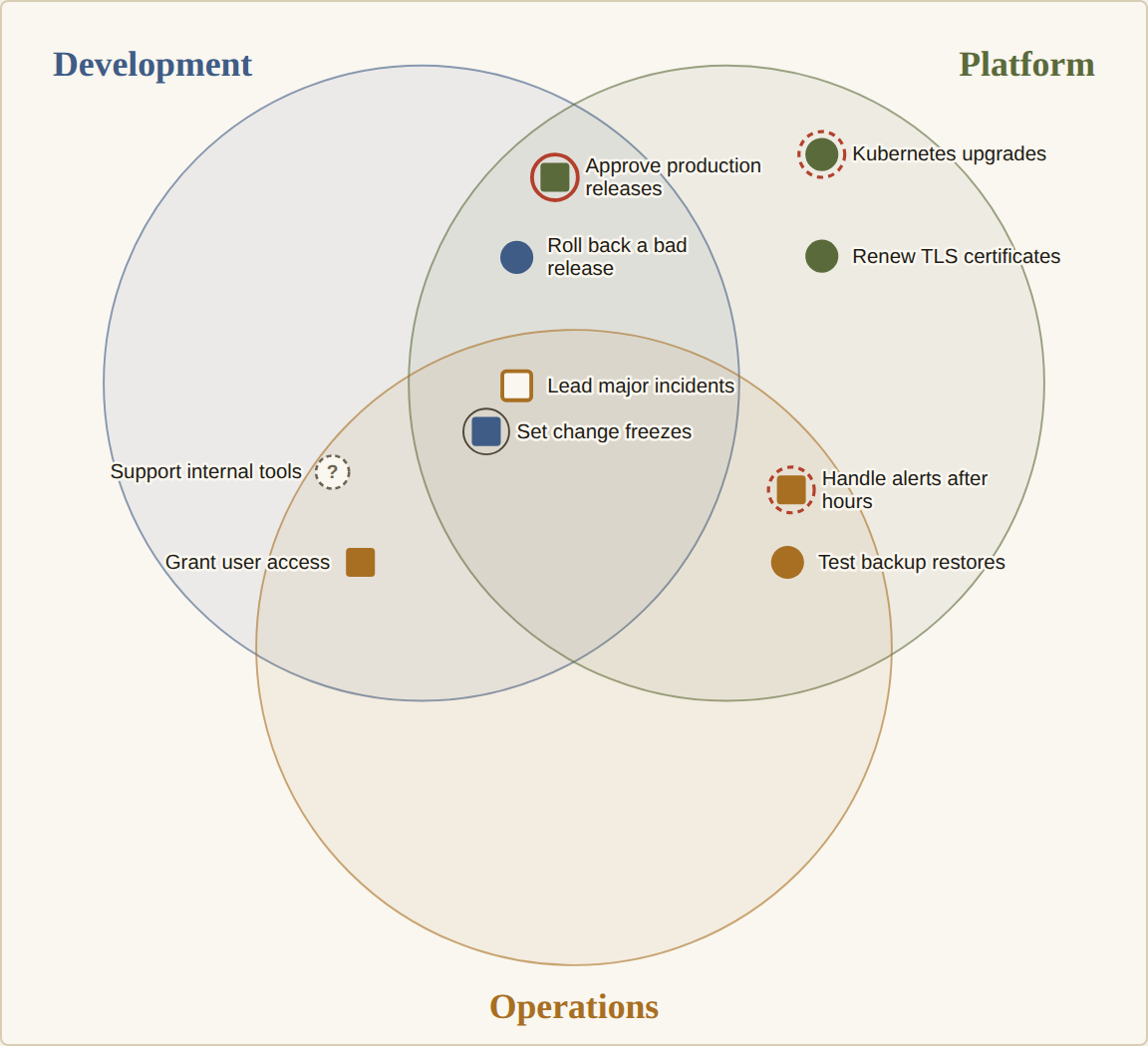
How the map works
- You can write down who you think owns what.
- Waiting for answers
- No owner
- Each team can say whether it agrees.
- Waiting for answers
- No owner
- Agreed
- Contested
- No owner
- You can settle where they disagree.
- Agreed
- Contested
- No owner
- Agreed
- Decidedby the steering group, 3 October
Presentation mode
Collaborate on the map and see it on screen in real time.
Report as PDF
Present it, and keep it as the record of the decision.
AI assistant
Connect Claude or ChatGPT, and it helps you edit your maps faster.
Ready-made mandate maps to start from
- Customers’ NIS2 requirements for suppliersDevelopmentSolution architectureRisk & Compliance
- Incidents under NIS2SecurityComplianceIT Operations
- Patching a known flawSecurityIT OperationsApplication teams
- AI writing code that reaches productionDevelopmentPlatformSecurity
- Climate adaptationRisk ManagementStrategyOperations
- Moving a job to a new platformLegacy teamNew platform teamProject
Access during the preview
Access is by invitation while Reimagine is a preview, and it is free. When you ask for access, Reimagine writes to you once you can create your company’s atlas, where its maps are kept and only the people invited into it can see them. The atlas starts with a sample map you can try before you invite anyone.
The data is stored in the EU, and each company has its own atlas. An AI assistant works only for the person who connected it, and only as far as the atlas admin allows. What it adds counts once a person has confirmed it, and it removes nothing without a person confirming. Your IT department can read the security measures, the data processing agreement and the list of subprocessors.