Connecting your AI assistant
Add Reimagine to Claude, ChatGPT or another assistant, and what it may do.
Your AI assistant can read your maps, draft new ones and add proposals. What it adds is marked and counts only once a person confirms it.
The connector’s address
https://mcp.reimagine.dk/mcpAdd it as a custom connector in your assistant. In Claude it’s under Settings → Connectors; in ChatGPT, under its apps and connectors settings (developer mode). Menu names change from time to time; look for “connectors”. Your organisation’s admin may have to allow custom connectors first.
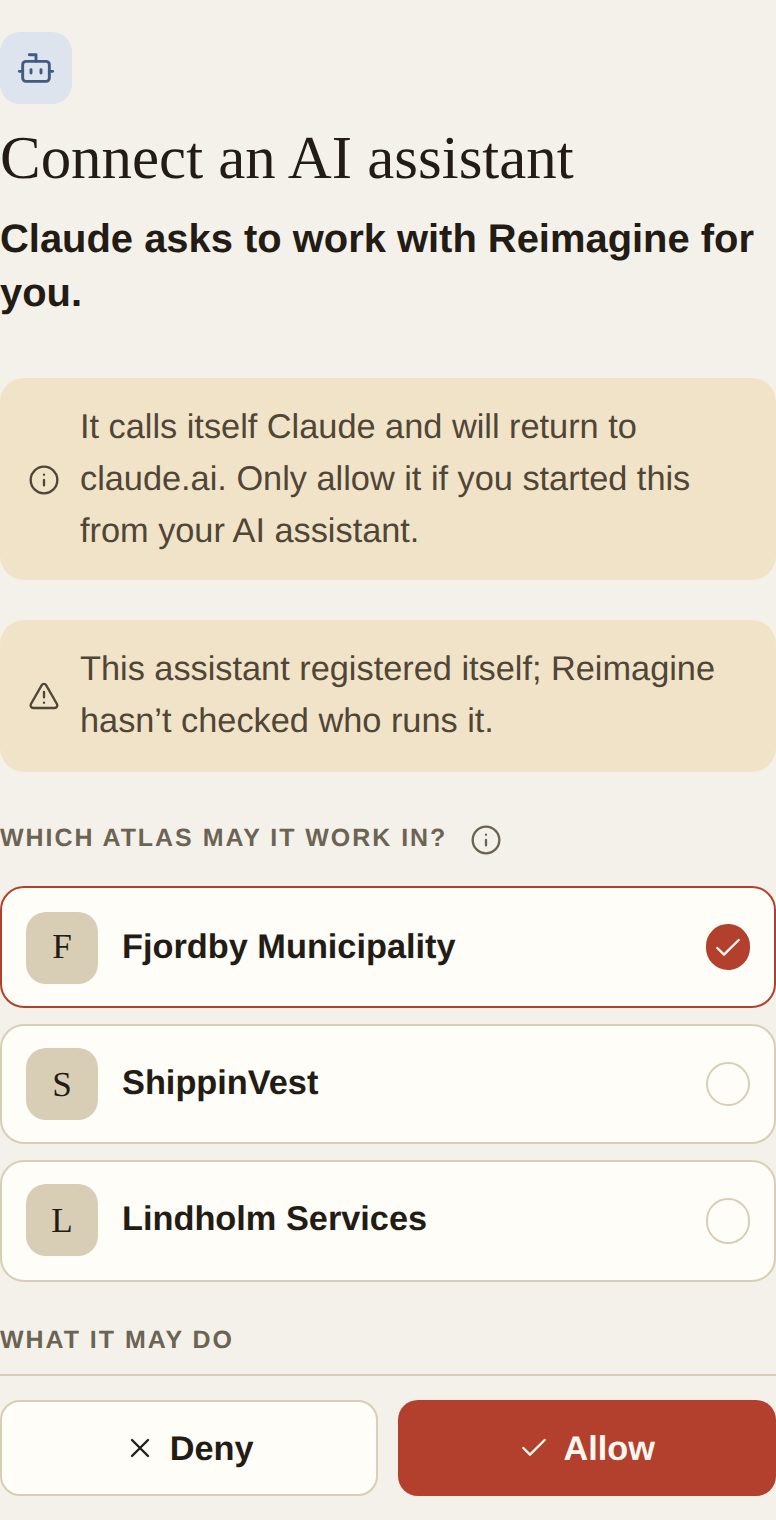
Connecting
- Add the connector, then choose Connect.
- Sign in to Reimagine with your email code.
- Choose the atlas it may work in, one per connection.
- Choose what it may do, or let it follow what the atlas allows.
- Choose Allow. You’re back in your assistant.
What it can and can’t do
- It acts only for you, never beyond what you could do in the app.
- What it adds is a proposal until a person confirms it.
- Where your admin allows it, it may change responsibilities; each change is marked, every team answers again, and you can undo it.
- It never removes anything without you confirming, on a page on our domain. Removed things stay in the bin for 30 days.
- It can never answer for anyone, record a decision or change who is in the atlas.
To end a connection, open the atlas, go to AI and choose ✕ beside it.