For admins
People and roles, what AI assistants may do, presentation links, clients, export and deleting.
Admins manage an atlas under its People, AI, Settings and Log tabs.
People and roles
Invite people as Member or Admin under People. Use ⋯ beside a person to change their role or remove them. An atlas always keeps at least one admin.
AI assistants
Under AI:
- Who may connect: any member, members after an admin approves, or nobody. Switching to Nobody ends every connection at once.
- What an AI may do: propose; also edit; also remove. Lowering it narrows every connection at once.
- Removal windows: whether a person may let their AI go on removing on one map for 2 hours after confirming a removal.
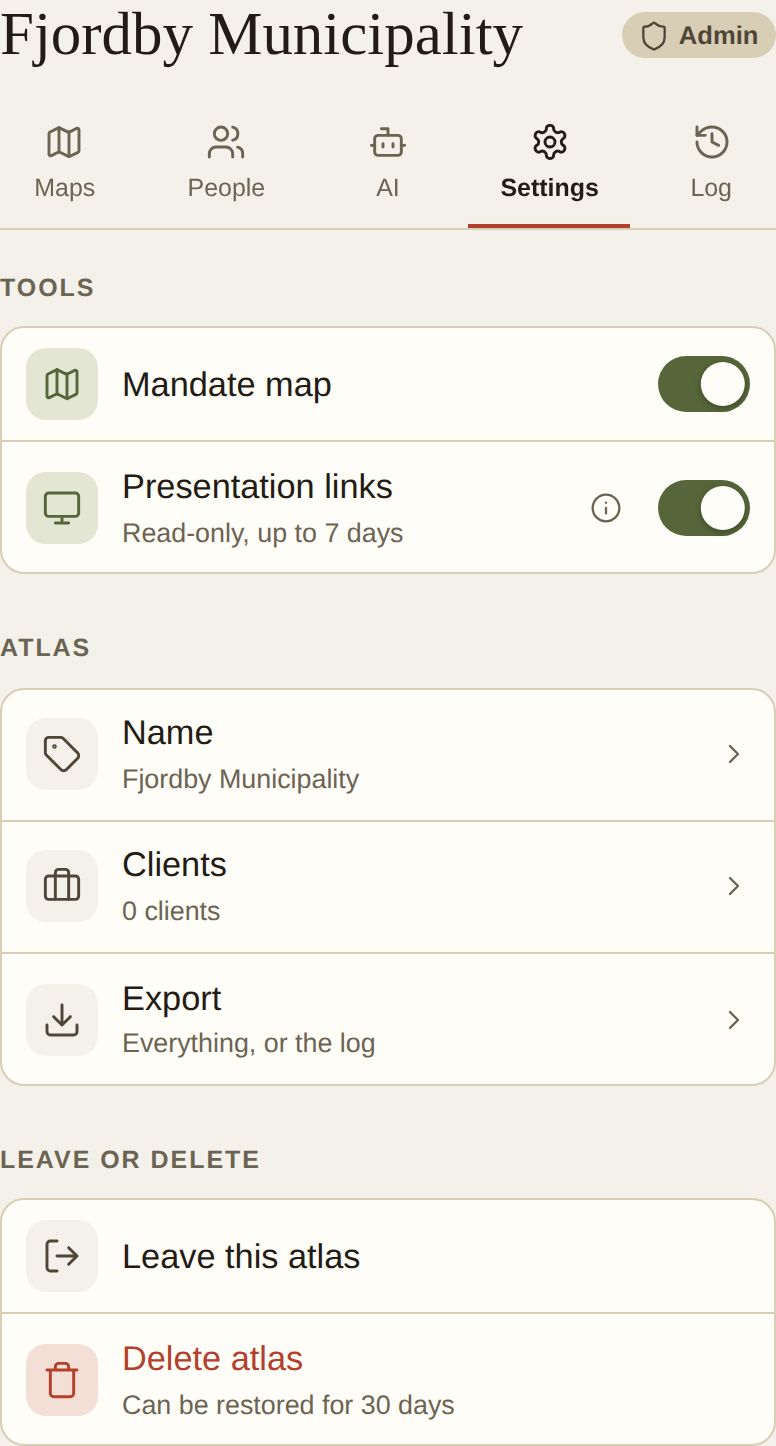
Settings
- Tools: switch the mandate map on or off for the atlas.
- Presentation links: switching them off ends every link at once.
- Clients: a name and logo per client, to brand a map’s presentation and report.
- Export: everything in the atlas as JSON, or the log as CSV.
- Delete atlas: it can be restored for 30 days, then it’s gone.
The log
Everything that happens in the atlas, by whom and through which AI, kept for two years. Filter by people, AI or maps. A change to a responsibility can be undone from its line.